Top 6 Mac Apps: Volume Control, File Naming, and 3 Other Things macOS Still Can't Do
Volume Control, File Naming,m Docker alternatives, AI coding assistants - all mac, all local.
FineTune
The Volume Control macOS Should Have Shipped With
There's a special frustration reserved for the moment your Slack notification blasts at full volume while you're barely hearing a podcast at 80%. macOS treats all app audio as equals, which anyone juggling multiple sound sources knows is absurd.
FineTune solves this with per-app volume control that feels like it should have been built into System Settings years ago. Each application gets its own volume slider - Spotify stays loud, Zoom stays moderate, notification apps get muted into oblivion. The interface lives in your menu bar and stays out of the way until you need it.
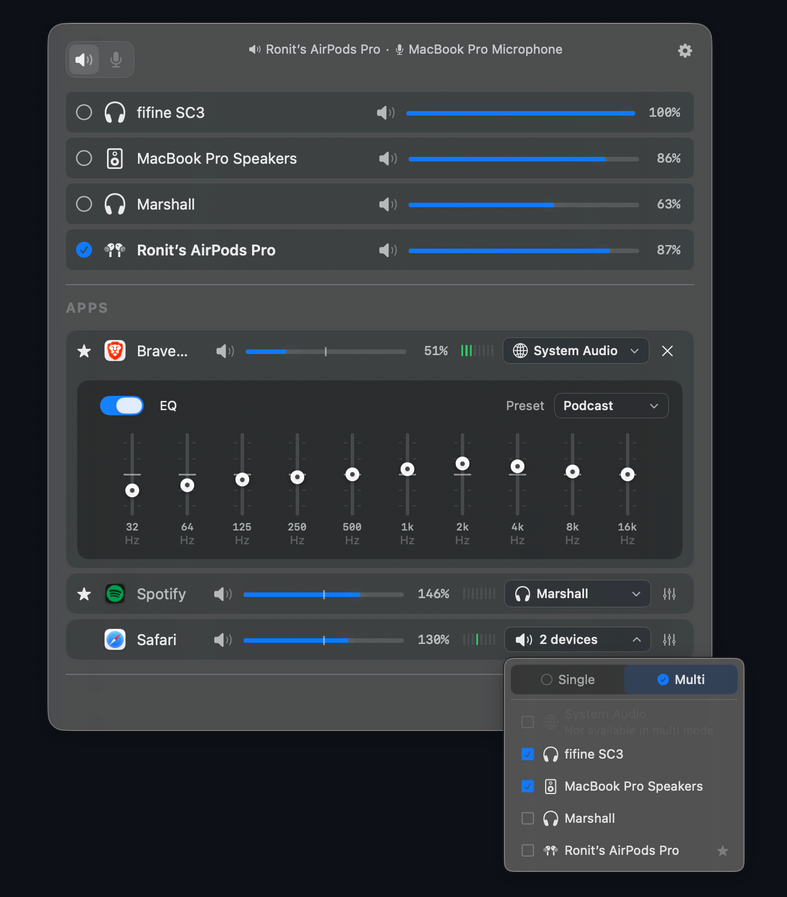
What makes it genuinely useful is the output routing. You can send your music to AirPods while keeping system alerts on your Mac's speakers. Video calls go to your headset, background music stays on desktop speakers. It's the kind of granular control that makes multi-tasking actually work instead of being an audio nightmare.
The audio boost feature handles quiet apps intelligently - podcasts recorded at inconsistent levels get normalized without distortion. Apps that inexplicably ship with nuclear-level default volumes get tamed permanently. Your settings persist across restarts and remember device-specific configurations.
Best for: Anyone using multiple audio apps simultaneously, remote workers on constant calls, podcast listeners tired of volume roulette
Platform: macOS
Pricing: Free (no subscriptions, no ads)
→ Get FineTune on GitHub (non affiliate link)
RevPDF
When Your PDFs Fight Back
PDF editing shouldn't require a degree in software archaeology, yet here we are. RevPDF takes a different approach: it assumes you just want to fix the damn document and get on with your day.
The interface strips away everything except what matters - text editing, image placement, and annotation tools that actually work. No 47-button toolbars, no "lite" vs "pro" artificial limitations. You open a PDF, click where you want to edit, and it lets you.
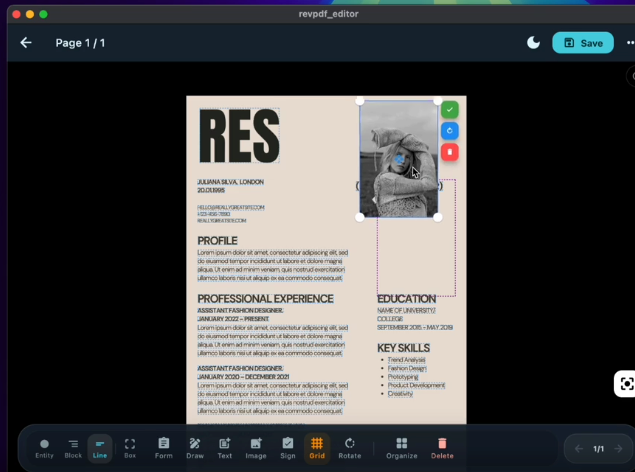
What makes RevPDF worth attention is how it handles complex PDFs. Documents with embedded fonts, scanned pages, or mixed content types don't break it. The OCR feature for scanned documents is surprisingly accurate, and the annotation tools sync properly if you're collaborating through cloud storage.
File size management is thoughtful - compressed exports that don't look like they've been through a fax machine. For anyone dealing with contract reviews, form filling, or document cleanup, it's the kind of tool that disappears into your workflow rather than fighting it.
Best part - its 500mb to download.
Best for: Contract work, form completion, anyone editing PDFs more than once a month
Platform: macOS
Pricing: Free
→ Visit RevPDF (non affiliate link)
Bantr
Text-to-Speech That Doesn't Phone Home to OpenAI
Every modern text-to-speech tool wants three things: your credit card, your text data, and a monthly commitment. Bantr rejects all three by running entirely on your Mac.
Built by an ex-AI engineer who got tired of cloud-dependent TTS services, Bantr delivers 150+ natural-sounding voices using Apple's MLX framework for local processing. Your podcast script, video narration, or accessibility needs never leave your machine. No API calls, no usage quotas, no training someone else's models with your content.
What makes it genuinely useful is the voice quality. These aren't the robotic macOS System Voices - they're expressive, natural-sounding, and handle punctuation intelligently. Multiple languages and accents are included, and switching between voices is instant since everything runs locally on your M-series chip.
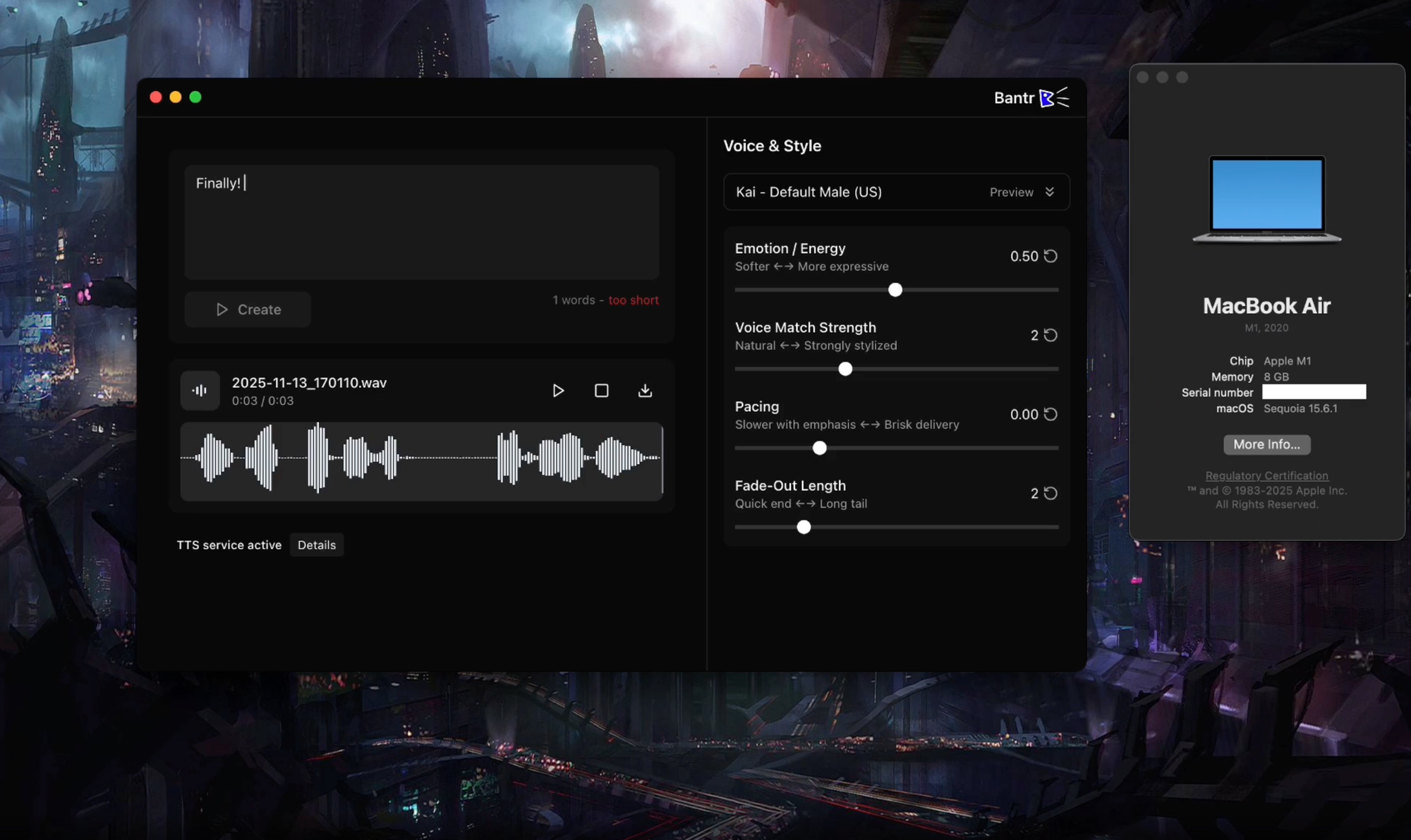
The pricing model is refreshingly simple: one-time purchase, unlimited generation. No subscription treadmill, no credit systems, no "starter tier" limitations. Generate 10 hours of audio or 1,000 hours - the app doesn't care because it's not metering your usage through a cloud API.
Performance on Apple Silicon is impressive. A 500-word article converts to speech in under 10 seconds on an M3 Pro, with quality that's indistinguishable from services charging $0.015 per character. For content creators producing regular videos or podcasts, the cost savings compound quickly.
The interface is deliberately minimal - paste text, choose voice, generate. Export to multiple formats (MP3, WAV, M4A) with configurable quality settings. Batch processing works well for multiple scripts or chapters.
Best for: Content creators tired of TTS subscription costs, privacy-conscious users, anyone generating frequent voiceovers
Platform: macOS (Apple Silicon recommended for best performance)
Pricing: One-time purchase ($79 USD)
→ Get Bantr (non affiliate link)
Consul
When Your Files Have Names Like "Screenshot 2024-11-23 at 3.47.22 PM.png"
There's a specific brand of chaos that comes from opening your Downloads folder to find 47 files named IMG_2847.jpg, Screenshot 2024-11-23 at 3.47.22 PM.png, and document-final-FINAL-v3-actually-final.pdf. Consul exists to fix this madness.
This is a batch file renamer that actually understands context. Point it at a folder of cryptically-named files, and it analyzes the contents to suggest sensible names. Your bank statement PDF becomes Chase_Statement_November_2024.pdf. Your screenshot of a recipe becomes Chocolate_Chip_Cookie_Recipe.png. The AI does the pattern recognition so you don't have to manually rename 200 files.
What makes Consul different is the preview system. Before committing to renames, you see exactly what will change. The interface shows old name → new name in a clear diff view, and you can approve in bulk or tweak individual suggestions. There's an undo function that reverses the entire batch if something looks wrong.
Consul
The renaming rules are intelligent about avoiding conflicts. If two files would end up with the same name, Consul appends sequential numbers logically. It preserves file extensions, handles special characters safely, and follows macOS naming conventions by default. You can save custom renaming templates for recurring patterns - useful for photographers or anyone processing similar file types repeatedly.
Works entirely locally, so your file contents never leave your Mac. Processing speed on M-series chips is impressively fast - 500 files analyzed and renamed in under 10 seconds.
Best for: Anyone with chaotic Downloads folders, photographers managing shoot files, people who save everything as "Untitled"
Platform: macOS
Pricing: Check their website for current licensing
→ Visit Consul (non affiliate link)
Tailscale
The VPN That Doesn't Hate You
Traditional VPNs are like airport security - theoretically protecting you while making everything slower and more annoying. Tailscale reimagines the entire concept by creating peer-to-peer mesh networks instead of routing everything through central servers.
The setup is absurdly simple: install on your devices, authenticate once, and suddenly your Mac at home, iPhone, and remote server all see each other as if they're on the same network. No port forwarding, no dynamic DNS, no configuration files written by someone who clearly hates readability.
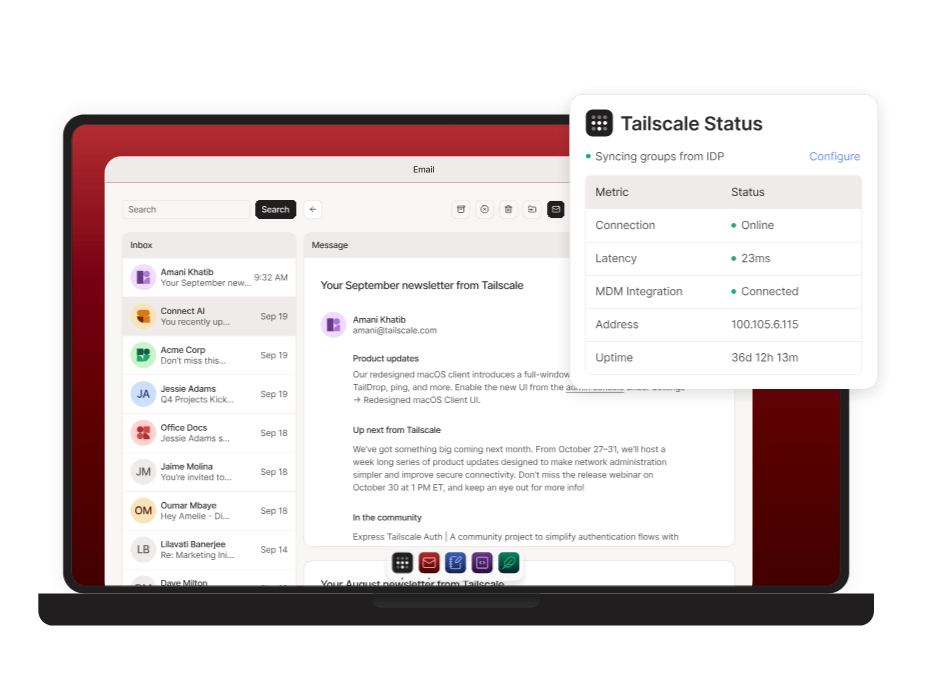
Where Tailscale shines is accessing home lab resources remotely. Your Synology NAS, Home Assistant instance, or development servers become accessible with their actual local IPs - no weird proxy setup required. The connection is encrypted end-to-end using WireGuard, and performance is excellent because traffic doesn't hairpin through a VPN provider's oversubscribed servers.
The free tier is genuinely useful - up to 100 devices, unlimited users. For personal use and small teams, it's hard to justify paying for anything more. The macOS menu bar app is unobtrusive, connection status is always clear, and it handles network transitions (WiFi to cellular, sleep/wake) without drama.
If you've ever wanted to SSH into your home machine from a coffee shop, access your media server while traveling, or link multiple cloud servers securely, Tailscale makes it feel like magic instead of a networking certification exam.
Best for: Home lab enthusiasts, remote developers, teams needing secure access to internal resources
Platform: macOS, iOS, Linux, Windows, Android
Pricing: Free for personal use (up to 100 devices)
→ Get Tailscale (non affiliate link)
OrbStack
The Docker Alternative That Actually Feels Modern
There's a moment when you're waiting for Docker Desktop to restart on your M-series Mac that makes you question your life choices. OrbStack arrives precisely at that moment like a breath of fresh air.
Built from the ground up for Apple Silicon, OrbStack replaces Docker Desktop with something faster, leaner, and actually enjoyable to use. The startup time is measured in seconds, not minutes.
Container management feels seamless because it's built on a custom hypervisor that bypasses the overhead. Traditional Docker Desktop carries. If you've ever closed your laptop lid and returned to find Docker Desktop in a failed state, OrbStack will feel like magic.
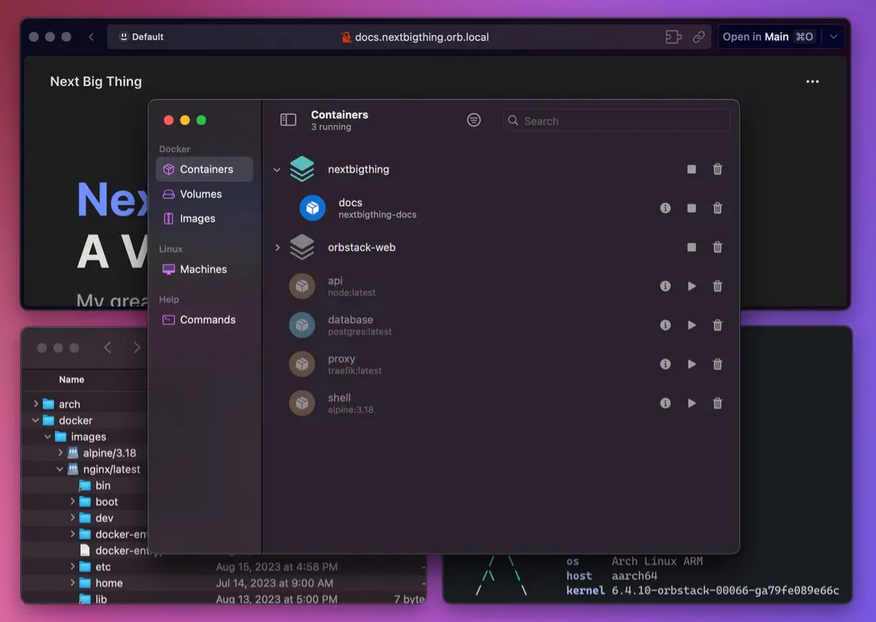
What makes it sing is the integration with VS Code. The one-click attach feature works flawlessly, and the file system performance through SSH containers is genuinely impressive.
We've tested it extensively across macOS 14 and 15 beta, and it handles multi-container workflows without breaking a sweat.
Pricing: $9/month (annual billing) or $12/month (monthly)
Platform: macOS 13+ / Apple Silicon native (M1/M2/M3/M4)
→ Try OrbStack (non affiliate link)
Found this helpful?
I'm building a collection of Mac app reviews focused on productivity tools for technical users. More coming soon.