Top 5 Mac Apps This Week: Menu Bar Fixes, Native AI, and Smart Hardware Use (2026)
From fixing macOS menu bar crashes to AI in your notch, discover the 5 most interesting Mac apps trending on Reddit this week — plus why macOS still falls short
Thaw
Thaw is a powerful menu bar management tool. While its primary function is hiding and showing menu bar items, it aims to cover a wide variety of additional features to make it one of the most versatile menu bar tools available.
Built as a direct fork of Ice, Thaw takes everything that worked about its predecessor and fixes the bugs that made macOS users sweat.
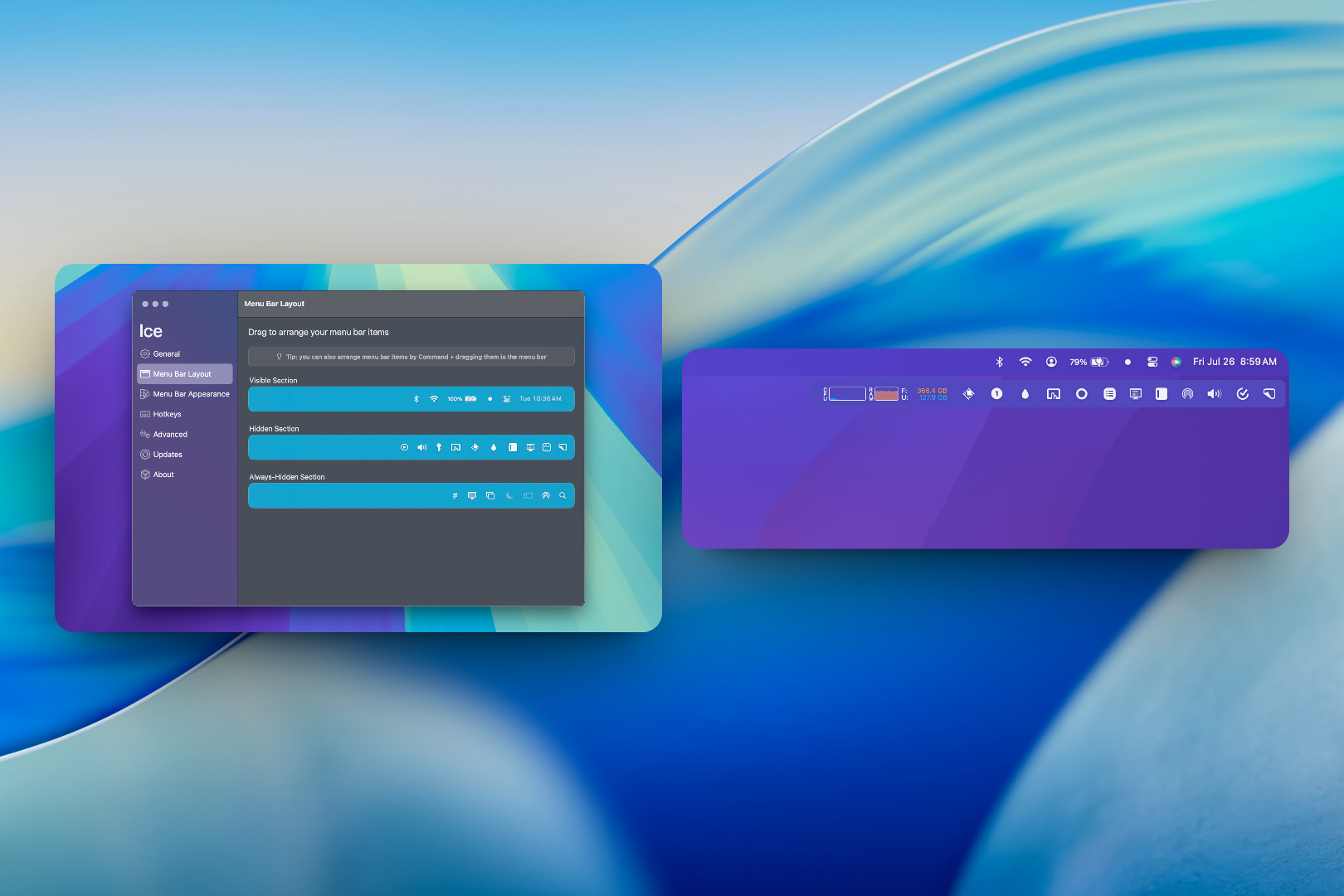
It's a menu bar manager that actually stays responsive — no more disappearing cursors when you try to drag items around, no more memory leaks that slowly eat your RAM, no more UI flicker during display changes. If you've ever restarted your Mac just to get the menu bar behaving again, Thaw is your relief.
What makes it genuinely useful is smart refresh on display changes. When you dock or undock your MacBook, when you switch external monitors, the menu bar rearranges itself intelligently without breaking. And if you were already using Ice? Full import support means your custom layout transfers seamlessly — no rebuilding from scratch.
It's open source, actively maintained, and focuses on reliability over flashy features. This isn't about adding more icons to your menu bar; it's about making what you already have work without constant babysitting.
Best for: Power users who rely on menu bar apps but hate how macOS handles them, developers whose status bars keep breaking during development cycles
Platform: macOS (Apple Silicon native)
Pricing: Free and open source
→ Get Thaw (non-affiliate link)
Alcove
Your Mac's Notch Actually Does Something Useful
Dynamic Island. Now for your Mac
You've looked at your MacBook Pro's Dynamic Island and wondered — why is this hardware sitting there unused on a Mac? Alcove finally puts that notch to work.
It transforms the notch into your daily calendar hub — not just a notification display, but a fully interactive space where you can see today's schedule at a glance, swipe through appointments, and even jump into meetings.
The animations run at 120fps, matching the ProMotion refresh rate, so your daily planning flows smoothly without any judder. Calendar app integration works behind the scenes — when your calendar changes, Alcove updates automatically without manual refresh.

The real magic is how unobtrusive it is. You don't need to open an app, you don't need to click through menus — your schedule lives in the space Apple originally carved out for convenience, now actually delivering on that promise.
There's a file tray coming soon that'll extend this concept to quick-access files, but even in its current form, Alcove turns a hardware curiosity into genuine daily utility.
Best for: MacBook Pro users with notch models who want their hardware to feel more purpose-built, calendar-heavy professionals who live in Day view
Platform: macOS 14+ (with notch MacBook Pro)
Pricing: Free trial, then $13.99 one-time
→ Get Alcove (non-affiliate link)
Warden
Your AI Chat App That Lives Where It Belongs
A fast, beautiful, feature-rich, and truly native macOS AI chat app - 100% Open Source • 100% Private • 100% Native
Most Mac AI chat apps feel like web browsers wearing a skin — they're Electron wrappers that lag, consume RAM, and ping servers constantly. Warden is different because it's built entirely in native SwiftUI, one of the cleanest examples of macOS-native AI interface we've seen.
It supports every major model — OpenAI, Anthropic (Claude), Gemini, Perplexity, plus local options through Ollama and LM Studio. But the standout feature isn't model support; it's real-time web search with citations. When Warden looks something up, you see exactly which sources it drew from, presented in a clean side-by-side interface. No more guessing if the AI hallucinated or actually found something reliable.
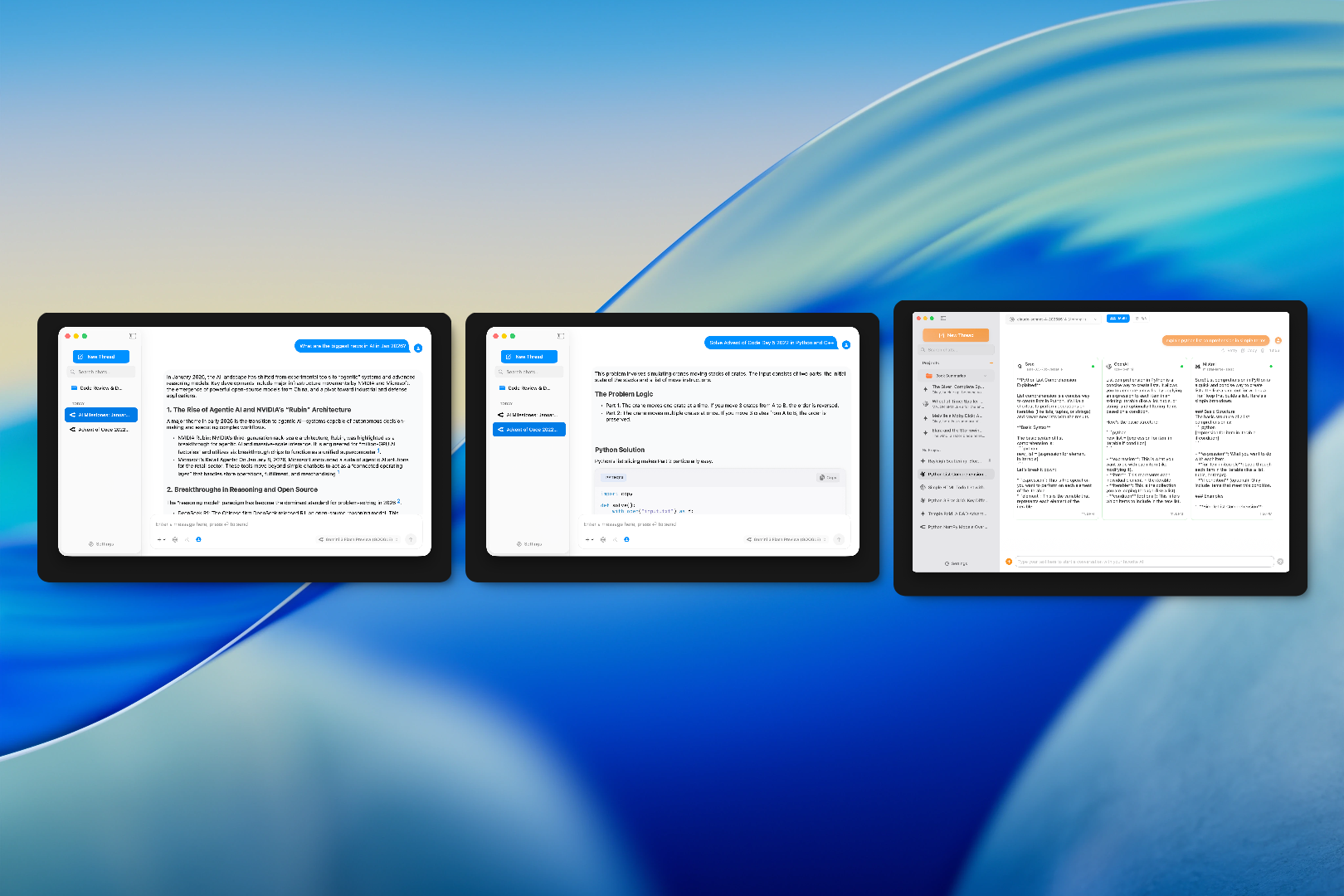
The code execution feature is quietly impressive — you can run snippets directly in your terminal from the chat interface, see syntax-highlighted output alongside your conversation. Animations are buttery smooth, the dark mode is genuinely comfortable for late-night coding sessions, and it respects your privacy — local models stay local unless you explicitly route them through the cloud.
Core Philosophy
- Native First: Built entirely with SwiftUI for true macOS integration
- Privacy Focused: Zero telemetry, all data stays on your Mac
- Open Source: 100% open source under Apache 2.0 license
- Lightweight: Under 20MB app size, typically uses less than 150MB RAM
- Beautiful: Subtle animations and design choices that make daily use a joy
AI Provider Support
- OpenAI
- Anthropic (Claude)
- xAI (Grok)
- Google Gemini
- Perplexity
- Groq
- Mistral AI
- LM Studio (Local model hosting) - NEW
- Ollama (Local LLMs)
- OpenRouter (100+ models)
- Deepseek
- Any OpenAI-compatible API
Best for: Developers, researchers, and Anyone who wants local AI capabilities without sacrificing macOS aesthetics or performance
Platform: macOS 14+ (Apple Silicon recommended)
Pricing: Free and open source
→ Get Warden (open source on gumroad)
Bezel
AirPlay on Mac That Actually Works Realistically
Mirror any iPhone on your Mac: For demos, recordings, and presentations that leave an impression (now with wireless mirroring!!)
The idea of AirPlaying your iPhone screen to your Mac has always been appealing.
But Apple's built-in Screen Mirroring requires both devices to be on the same network and frequently drops connection.
Bezel takes AirPlay from a convenience feature to a daily driver. It creates a proper AirPlay destination on your Mac that appears in your phone'sAirplay menu, accepts connections from any iPhone or iPad (not just yours), and handles the connection with proper device frames.
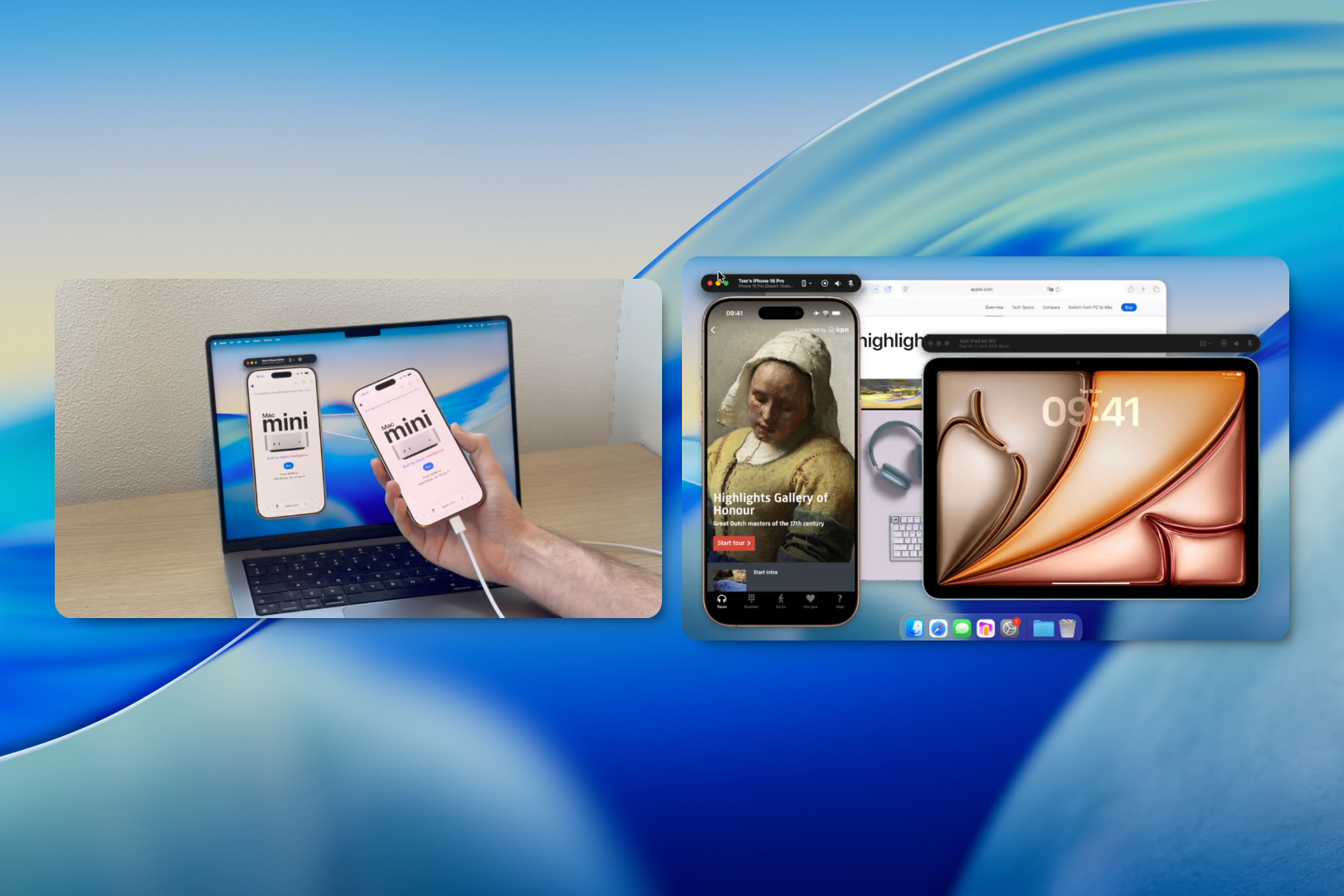
The built-in screenshot tool lets you capture with custom backgrounds, save to specific folders automatically, and even adds watermarks if you're sharing externally.
Full-screen mode hides everything else on your Mac so you can focus entirely on what's being mirrored.
The subscription model makes sense given the technical complexity — this isn't just pass-through screen sharing; it's a complete AirPlay receiver implementation with proper hardware acceleration on Apple Silicon.
Best for: Designers demoing apps, educators doing screen shows, anyone who frequently needs iPhone screen access on their Mac
Platform: macOS 14+ (Apple Silicon)
Pricing: Subscription or lifetime license available
→ Get Bezel (non affiliate link)
Today's Picks by Category
Menu Bar Management & System Utilities
Thaw delivers what macOS should have built in — a menu bar that doesn't crash, flicker, or vanish when you least expect it. This is the kind of reliability fix that disappears into your workflow because you stop noticing the problems entirely.
AI & Machine Learning
Warden is for those who want powerful model access with proper web citations and code execution. Open source, both run natively on Apple Silicon — it's a good week for privacy-conscious AI users.
Productivity & Calendar
Alcove finally puts the notch hardware to use with 120fps calendar integration. It's not just a notification display; it's the daily schedule hub macOS never built.
Developer & Testing Tools
Bezel transforms AirPlay from a occasional convenience into a daily tool for screen mirroring, while Kaida solves one of the most frustrating gaps in macOS photo organising — proper geotagging without complex workflows.
Found this helpful?
We run Mac App Daily as a side project because we believe macOS deserves better curation than algorithm-driven app stores provide.
Every pick here comes from community voting on Reddit — we just do the filtering so you don't have to.
Join our weekly newsletter for 5 curated apps every Monday — no spam, just the best new Mac software.
Disclosure: Some links in this post may be affiliate links. If you purchase through these links, we may earn a commission at no extra cost to you. This helps us keep the site running and continue curating great Mac software. We only recommend tools we genuinely use and believe in.